"Invalid email or password"
Double-check that you're using the email address your account was set up with, and that Caps Lock isn't on. If you're sure both are correct and it still won't accept them, see below for how to get a new password set.
I forgot my password — how do I reset it?
Click Forgot your password? on the sign-in page, enter your email address, and click Send reset link.
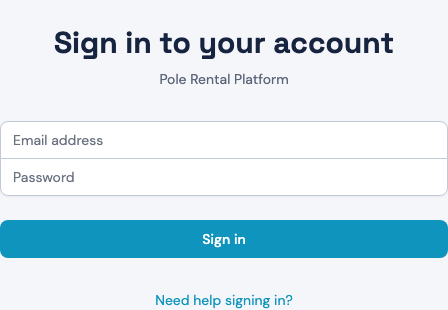
The page always says the same thing — "If an account exists for that email, a password reset link is on its way" — whether or not that address has an account. That is deliberate: it stops anyone using this form to find out who has a ClubHQ login. So the confirmation message is not proof you typed the right address.
Check your inbox, and your spam folder. The link is good for one hour and works once.
If nothing arrives within a few minutes:
- Try the address your account was actually set up with. It may not be the one you use day to day.
- Request again — but note each new request invalidates the previous link, so always use the most recent email. There is a limit of 3 requests per email per hour; beyond that you'll see "Too many requests. Please try again in a bit." Waiting is better than requesting repeatedly, which only invalidates links you may already have.
- Still nothing? Contact your club — whoever manages your ClubHQ account — and ask them to reset it for you. You'll be given a temporary password and prompted to set your own the next time you sign in, before you can do anything else.
"This password reset link is invalid or has expired"
The link is over an hour old, has already been used, or was replaced by a newer request. Click Request a new link and use the newest email.
"Passwords do not match"
The two password boxes on the reset page differ. Retype both.
"Your account has been suspended" / "Your organization's account has been suspended"
Your account, or your club's whole account, has been deactivated. Contact your club directly — for an organization-wide suspension, they'll need to reach ClubHQ support.
"Your account is not associated with any organization" / "No active organization found"
Your login exists but isn't currently linked to an active club. Contact the club you're trying to reach for help getting your account connected.
I was asked to change my password right after signing in
This happens the first time you sign in with a new account, or right after your password was reset for you — it's expected, not an error. Enter the temporary password you were given, then set a new password that's at least 8 characters and includes an uppercase letter, a lowercase letter, a number, and a special character.
Signing out
Click Logout to end your session. It ends right away in that browser: pressing Back or reopening a page takes you to the sign-in page, not your account. Always sign out on a shared or club computer.
Signing out ends only the session in the browser you're using. If you're also signed in on another device, that session stays open until you sign out there or it expires.
"Your session has expired. Please sign in again."
A sign-in ends 12 hours after you signed in, even if you've been using ClubHQ the whole time. It ends sooner if no ClubHQ page has been open for 8 hours, or if your club removes your access. When it ends, the next page you open takes you to the sign-in page with this message. Sign in again to carry on.
A dropped connection doesn't sign you out. If your Wi-Fi drops or your laptop wakes from sleep before reconnecting, ClubHQ waits and checks again once you're back online. You only see this message once the server confirms your session has really ended.