If your club still needs payment for a membership, they can email you a Pay Now link. It opens a secure page where you can pay the balance online, without registering again.
Pay the balance
- Open the email from your club — the subject starts with "Payment requested for" and names the membership — and click Pay Now.
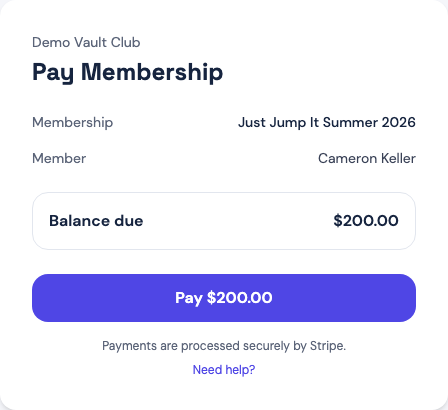
- On the Pay Membership page, check the Membership, the Member, and the Balance due.
- Click the Pay button, which shows the amount. You're taken to Stripe's secure checkout, which shows your club's name and color.
- Enter your payment details and finish. When you return to the page, it reads "Thanks — your payment was received."
Your club is notified of the payment automatically; there is nothing more to send them.
If something looks different
- "Thanks — your payment is being processed" or "A payment for this membership is already processing. You don't need to pay again." — a bank payment can take a few days to clear. Don't pay a second time; the page keeps this message until it clears.
- "Checkout was cancelled — you have not been charged." — you left checkout before paying. Click Pay again to return to the same checkout.
- "This membership is already paid. No balance due." — nothing more to do.
- "Link not found" — the link is mistyped or incomplete. Open the email again and use its button, or ask the club to send a new one. The same link can be re-sent, so an older email still works.
If a payment fails or you aren't sure whether it went through, contact your club with the member's name — they can see the payment status directly.